

Concatenate Excel Columns
We will understand ways to concatenate the excel column using the concatenate function. However, the data may not always be as per our demand. Often, we may need to join multiple Excel columns of data to get the data in the form we want. A trivial example is combining the first and last names to get the full names.
Concatenate Columns Excel Template
Download Excel TemplateTo get data into a structured format, sometimes combining multiple columns or combining columns with some values can be pre-defined or may come from a result based on some condition. We will see the various examples below, first starting with the general syntax.
Please see the screenshot for the general formula.
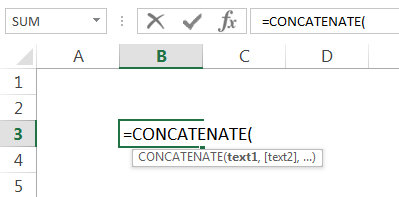
The function is “CONCATENATE.” The arguments are any number of texts you want to give. The resulting value will be the combined value of all the arguments.
Important Point: From Excel 2016 onwards, we can see the “CONCAT” function. It does the same task as “CONCATENATE.” Although “CONCATENATE” is also available in Excel 2016 for backward compatibility, Microsoft has made no promise that they will continue to do so. Therefore, we will explain everything using the “CONCATENATE” formula, for simplicity since the syntax and arguments remain the same. Although, if you are using Excel 2016 and above versions, we request you to use the “CONCAT” function.
Concatenate Excel Function Explained in Video
How to Concatenate Two Columns in Excel?
Below are examples of concatenating Excel columns.
Concatenate Excel Columns Example #1
We will start with a simple one. Suppose you have “First Name” in one column and “Last Name” in the second column, and you want to get the full name by combining them.
- Please see the screenshot below:
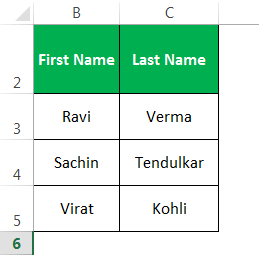
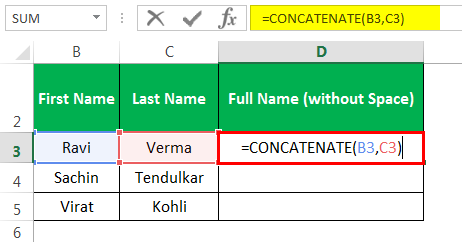
- We have the Column D that contains the formulas to combine them.
- The output is given below:
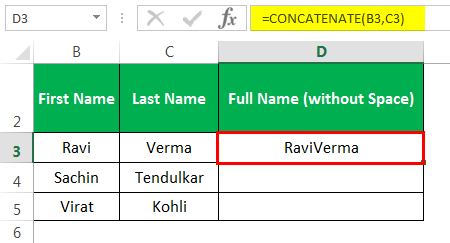
- We need to drag the formula now to get the result to the remaining cells.
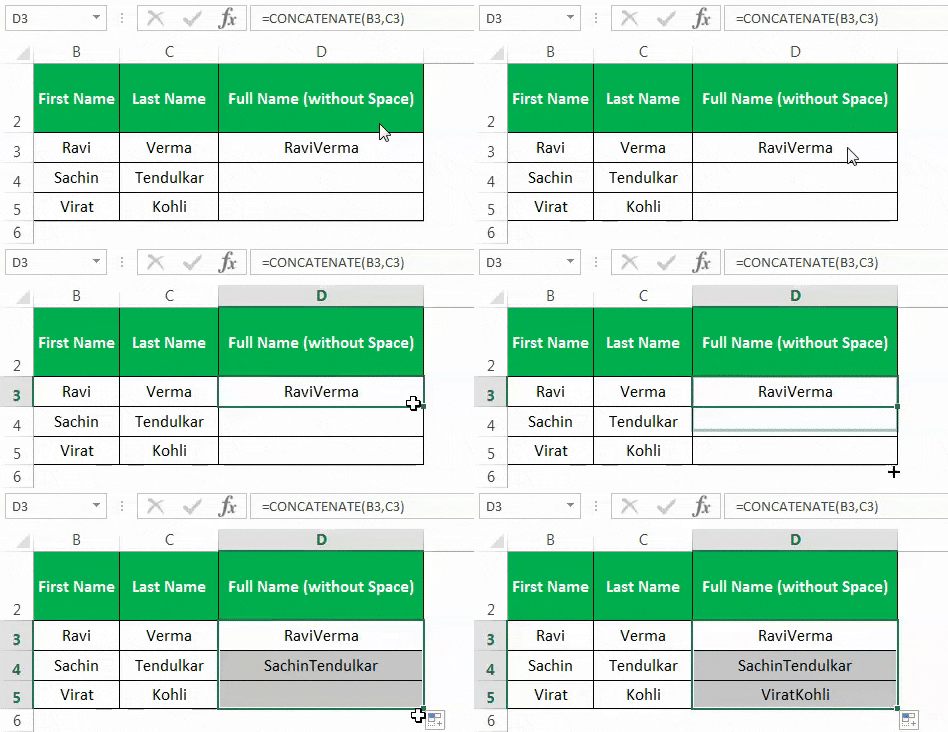
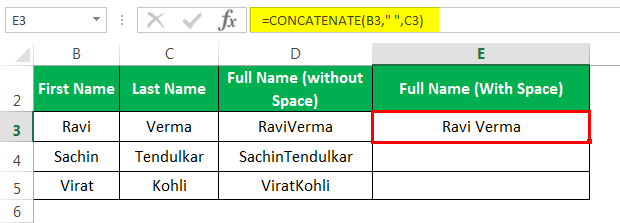
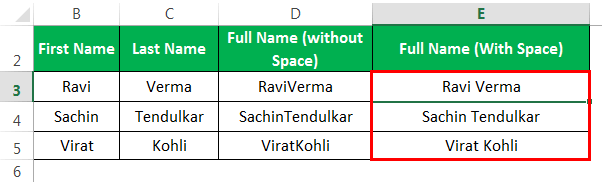
- In Column D, we can see that we have combined just the values from columns B and C. Thus, column D’s result is just a combination of them. But that does not seem right. There should be a space in between the first name and last name. So, now when we use the formula in Column E, we have added space when creating the formula.
- So, the result may look like as given below:
Example #2 – Concatenating Text String & Cell Value
Suppose we want to join these values to frame something meaningful.
We have added a column for “Runs.”
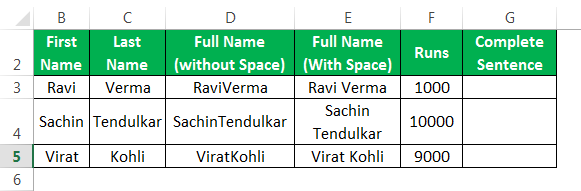
We have created a formula in “Column G” that denotes the runs scored by that player along with the full name.
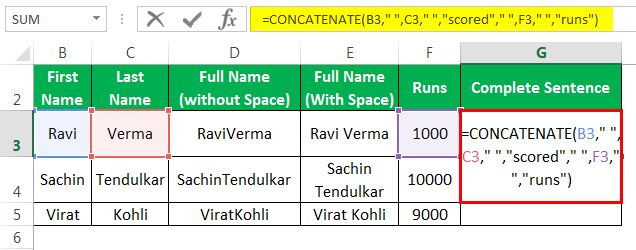
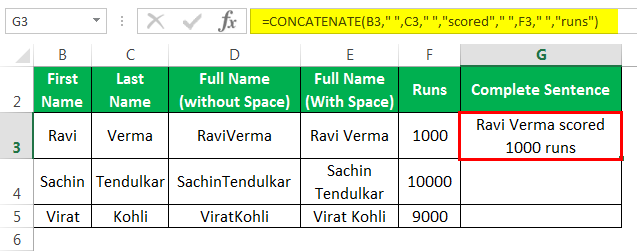
The output is shown below:
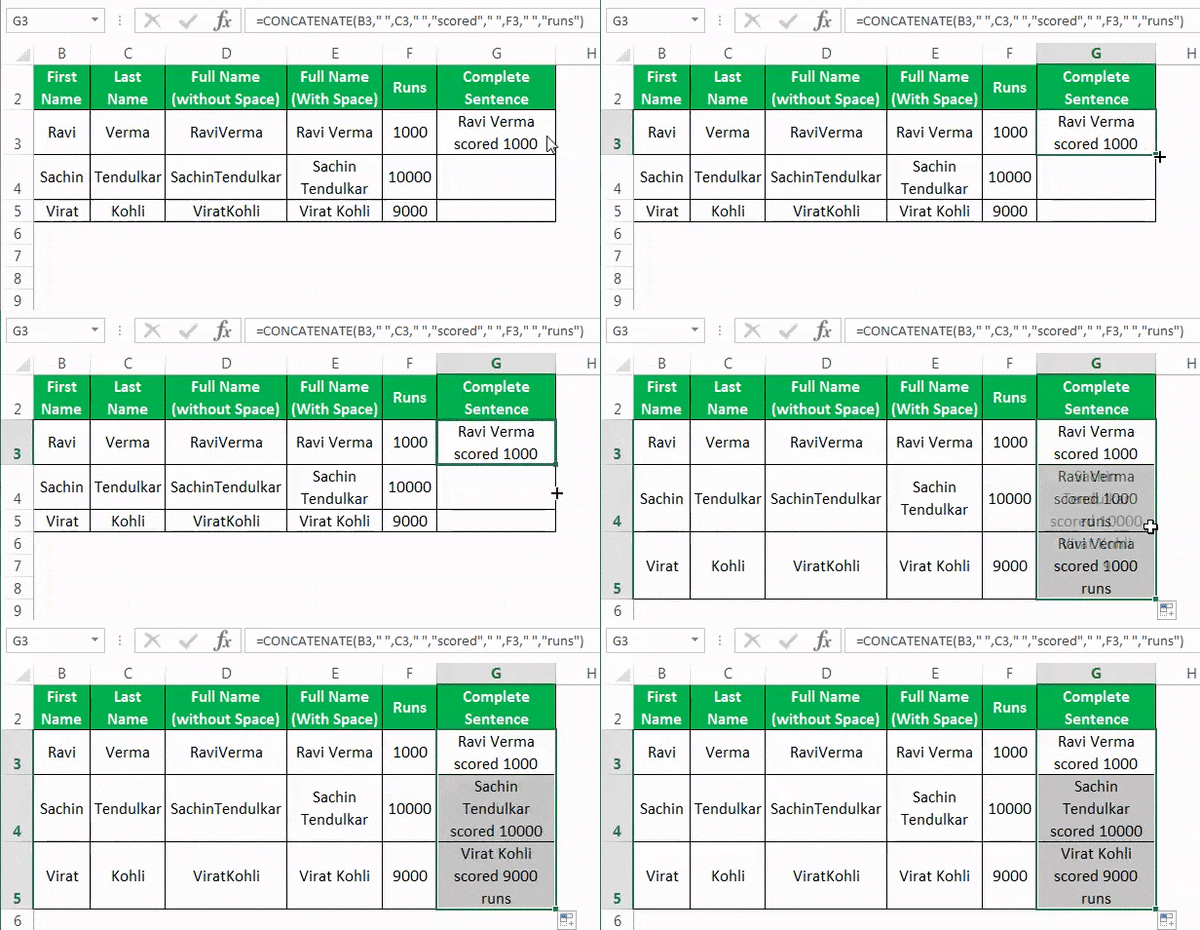
Now, we will drag the formula to the remaining cells.
Another example may be where the fixed string that we provided above (example “scored” and “runs”) can come from the result of a formula of a combination of both.
Concatenate Excel Columns Example #3
Suppose you always want to see today’s date in cell B2. You may view the formula shown. We have used the “CONCATENATE,” “TEXT” function, and “TODAY” function. The TODAY function in excel gives today’s date. However, it provides the result in an integer, which we need to convert into text and then into date format.
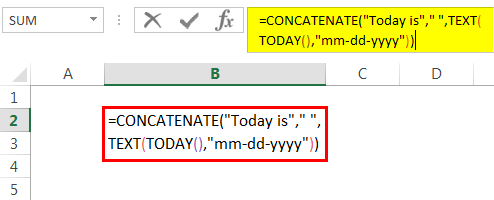
So, the “TEXT” function in excel converts the output of the “TODAY” function in the format “mm-dd-yyyy,” and then the concatenate function joins them together along with “Today is” & “”(space) and gives the result as shown below.
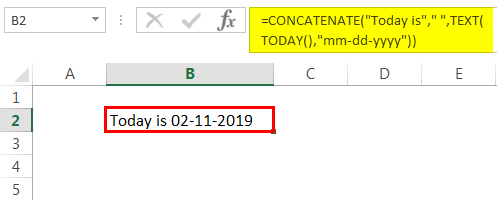
Besides the “CONCATENATE” function, another operator is “&” which you can use to combine texts. You can do all the above examples using “&” also.
Compared to the “CONCATENATE” function, the only difference is “&” has no limit on the number of strings that can be used, while CONCATENATE has a limit of 255 arguments and 8,192 characters.
No difference in the speed of calculations either. So, it all boils down to your choice, comfort, and ease of use.
Concatenate Excel Columns Example #4
The last example that we need to see is where we want to concatenate the columns based on some special characters like line breaks, forward slash, asterisk, etc., based on their ASCII codes (Char function in excel).
The ASCII code for a line break is CHAR(10), for forwarding slash, it is CHAR(47), and for asterisk, it is CHAR(42). So now, let us use these.
Below shown is the data. We want to combine them using the forward-slash (/).
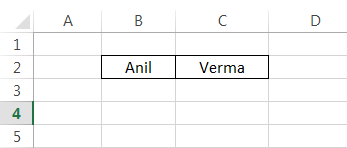
Here, we used the formula to combine them.
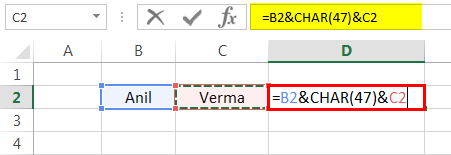
As a result, it combines the data using a slash.

You can see from the screenshot that you can achieve the same results using four different formulas.

Things to Remember About Concatenate Two Columns in Excel
- There is a limit of 255 strings that we can concatenate at a time. In terms of characters, it is 8,192.
- The result will always be a text string, even if all the arguments are numbers. So, for example, CONCATENATE(42,42) will give “4242”. i.e., the format will always be text.
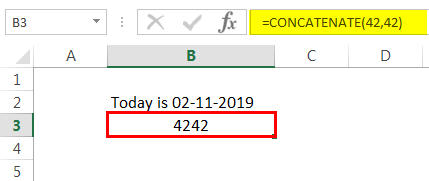
- Arrays or range of cells is not recognized as an argument. E.g., you need to provide CONCATENATE(A1,A2, A3) instead of CONCATENATE(A1: A3).
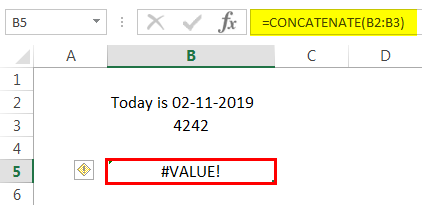
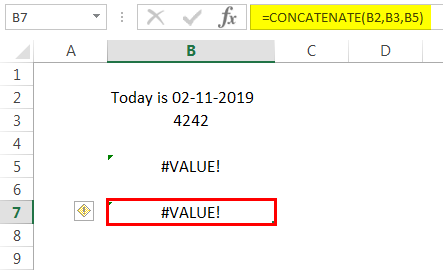
- If any argument to this function is invalid, it will generate an excel error.
- “&” operator is an alternative to the concatenate function. It can do everything that the “CONCATENATE” function does without the “CONCATENATE” function limitations of 255 arguments.
You can Download this Concatenate 2 Columns Excel template here – Concatenate Columns Excel Template
Recommended Articles
This article is a guide to Excel Concatenate Columns. Here, we discuss concatenating two columns in Excel with practical examples and a template for downloading. You may learn more about Excel from the following articles: –